Guided troubleshooting for access control manufacturers.
Your instructions and application notes already hold the answer. Lingo turns them into guides that your technical team checks and publishes, and takes each installer to the checks for the controller on the wall, on WhatsApp, Teams, web or email, at any hour.


Lingo
Online


Reader not responding
PublishedQUESTION
Which controller is fitted?
ANSWERS
- 1.Current generation
- 2.Earlier generation
FIX
1. Check the reader supply as set out for this controller. 2. Check the reader connections against the diagram for this controller. 3. Check any joint in the reader cable. 4. If the reader still does not respond, ask for a person.
The answer is in one of your application notes. Lingo delivers it to the installer.
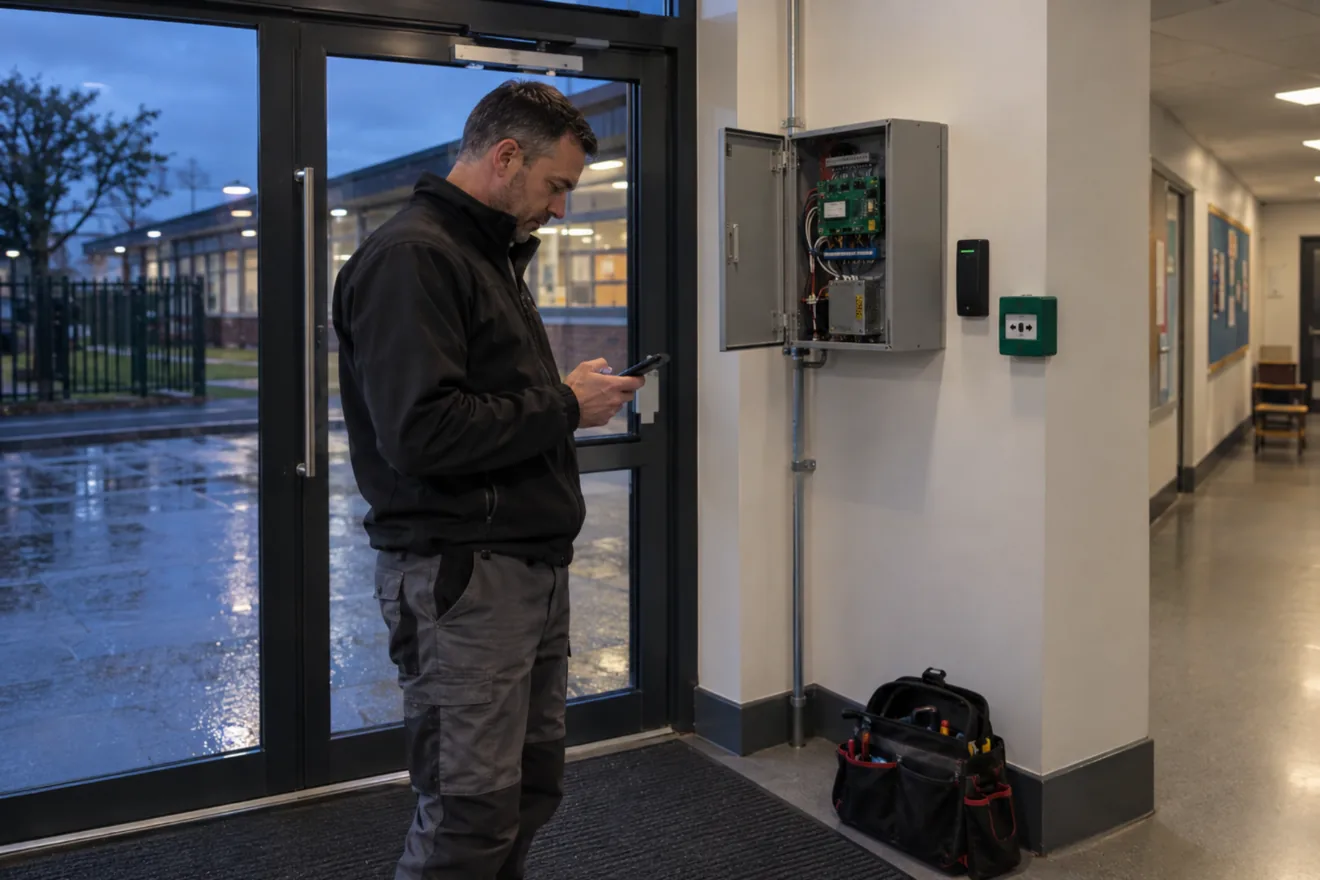
Access control instructions are short, and there are many of them. Which one applies depends on the controller on the wall. Lingo turns each note into a guide that asks which controller is fitted, then sends that controller’s checks in WhatsApp.
12
pages in one manufacturer’s current controller instruction, almost all of them pictures. Its fault-finding is in separate notes.
227
application notes on the same manufacturer’s index. Each covers one topic, in a handful of pages.
5 of 6
UK support lines surveyed close at 5pm or 5.15pm on weekdays. Lingo answers at any time.
Fault-finding notes are typically written as ordered checks already, which is the form a guide takes. Generation and variant change the answer. In two manufacturers’ documents a feature or a limit depends on the firmware version, and one 24-page controller manual ends by listing more than twenty further documents.
You send the instruction and notes for one controller. Lingo drafts a guide from each. Your technical team checks every draft against the source, corrects it and publishes it. The installer messages a WhatsApp number, says which product they have and gets the checks as numbered steps.
What installers ask, and what a guide sends back.
These are the subjects manufacturers’ notes cover. For each, a guide puts your documented checks in order and sends them one message at a time.
Readers and tokens
A reader or keypad is not responding, or a valid token is denied
The guide asks which controller is fitted before it sends a check. One manufacturer tells its controllers apart by label colour, and the reader check differs between them.
Data line
Controllers are not responding on the data line
One manufacturer’s note on this sends the installer on to four more. Your team can publish those checks as one guide, in the order they want them done.
Locks and power
A lock on its own power supply, or a status indication that needs explaining
Separate lock power supplies and status indications typically each have their own note or table. A guide sends the checks your documents list, for the controller fitted.
Network setup
Connecting controllers over the site’s network
The same index includes notes on TCP/IP setup and on network recommendations. They become guides in the same way.
Your technical team checks every guide and sees every conversation.
Every guide is published by your team
They can edit a guide, write one by hand or unpublish it. When a question comes up that no guide covers, they can add the answer.
You choose who can use it
One manufacturer makes its certified channel partner the first point of contact for support. Another supports installers and distributors who bought from it directly. Lingo can be limited to the phone numbers you approve, added one at a time or imported as a list.
A person is one message away
An installer can ask for a person at any point. The request reaches your team by email and they reply in the same WhatsApp conversation, with the earlier messages in front of them. You set the opening hours and the out-of-hours message.
Every conversation is kept
With the installer’s name and number, the product and the guide used, so your team can see what is being asked about each controller.

Your team decides what gets a guide
They choose which procedures get a guide and which go straight to them. Escape door and fire alarm release questions are examples: NSI says its code of practice for access control requires “a proper, site-specific assessment”, so a guide can pass those to your people in one step.
Questions access control manufacturers ask
We already have an installer app and a knowledge base. What does Lingo add?
A knowledge base returns a document to read. Lingo asks which controller is fitted and sends that controller’s documented checks in order, on WhatsApp, Teams, web or email, at any hour. It keeps a record of every conversation and puts a person from your team one message away. It works from what the installer tells it, on any phone, so it runs alongside the tools you have.
Our answers are spread across hundreds of short notes. Does that work?
Yes. Lingo drafts a guide from each note you send, and your team can edit a guide or write one by hand. Start with one controller’s instruction and its fault-finding notes.
Can it cover controllers we no longer sell?
Yes, where the documents exist. Each product has its own guides, and a guide asks which generation or variant is fitted before it sends a check.
What happens when an installer asks something no guide covers?
The question is passed to your team by email and they reply in the same WhatsApp conversation. They can then add the answer to a guide.
How is it priced?
By the number of products you support, from £500 a month for five products. There is no setup fee, and no limit on installers or conversations.
Related use cases
Use case
Wiring and connections
The documented connection steps for the accessory and variant fitted.
More on wiring and connectionsUse case
Fault codes
The manual’s checks for a fault indication, then a handover to your team.
More on fault codesUse case
Parameter configuration
The documented setting for the variant fitted and the result wanted.
More on parameter configuration
Further reading
Article
How Lingo turns a manual into a guide
Read the articlePricing
Priced by the number of products you support
See pricing
Sources, read 8 October 2026: installation instructions, manuals and application notes from four manufacturers; the published support pages of UK suppliers, including the six support lines counted above; NSI, Why Issue 4 of NCP 109 requires an increased level of consideration.
Send us one controller’s documents.
We’ll convert them and show you your own guide in a 15-minute walkthrough.